What Is an Omnichannel Inbox? A Practical Guide
Learn how an omnichannel inbox unifies customer messages, connects customer profiles, and simplifies team collaboration across messaging channels.
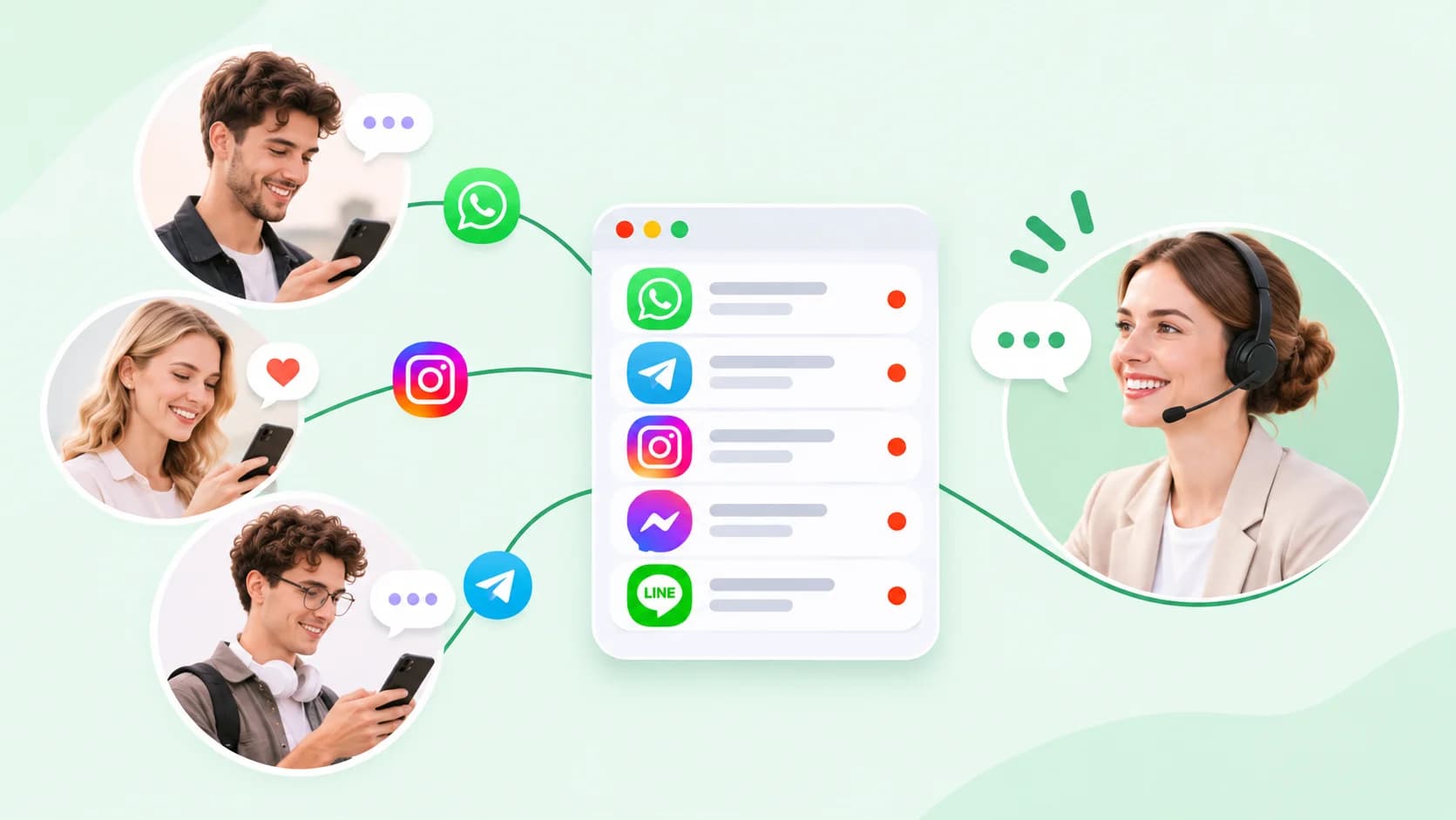
Do you find yourself constantly switching between WhatsApp, Instagram, and Messenger to respond to customers? For teams with multiple support agents, this can also lead to duplicate replies, scattered customer information, and inefficient handovers. An omnichannel inbox brings messages from different channels into a single workspace, making customer communication and follow-ups easier to manage.
However, bringing messages together is only the first step. Connecting customer information, assigning conversations, and coordinating team members are equally important. This guide explains how a unified inbox works in practice and helps you identify the features that best fit your business.
What Is an Omnichannel Inbox?
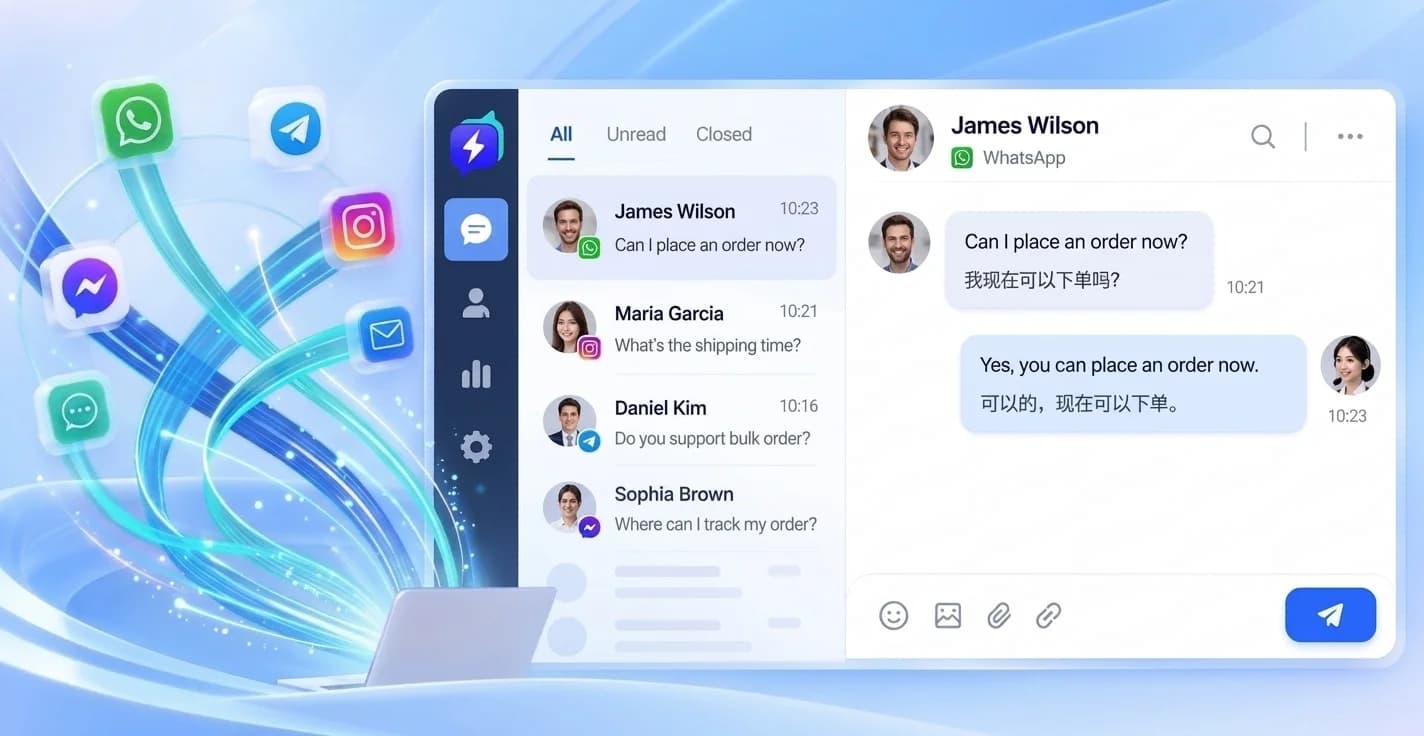
An omnichannel inbox brings customer messages, conversation history, and contact information from different communication channels into a centralized workspace. Teams serving international customers can view and respond to messages, manage follow-ups, and collaborate without switching between platforms.
An omnichannel inbox is closely related to unified messaging, but their scope differs. Unified messaging primarily focuses on receiving and responding to messages across platforms, while an omnichannel inbox goes further by connecting conversations with customer profiles, conversation statuses, and team workflows.
How Does an Omnichannel Inbox Work?
Handling a customer inquiry involves more than sending a reply. Teams often need to review customer information, assign conversations, and coordinate follow-ups. Here is how these tasks can be managed within a single workspace.
Channel Integration: Bring Customer Messages Together
Channel integration is the foundation of unified customer communication. Depending on your business needs, you can connect WhatsApp, Instagram, Messenger, Telegram, and other messaging channels to a single platform.
Once connected, Customer service agents can view and respond to customer messages without opening each social media app separately. If your business operates multiple accounts on the same platform, multi-account management can further reduce the need to switch between accounts.
Supported channels, account types, and integration methods vary by provider, so check whether your existing business accounts are compatible before getting started.
Unified Message List: Organize Customer Inquiries
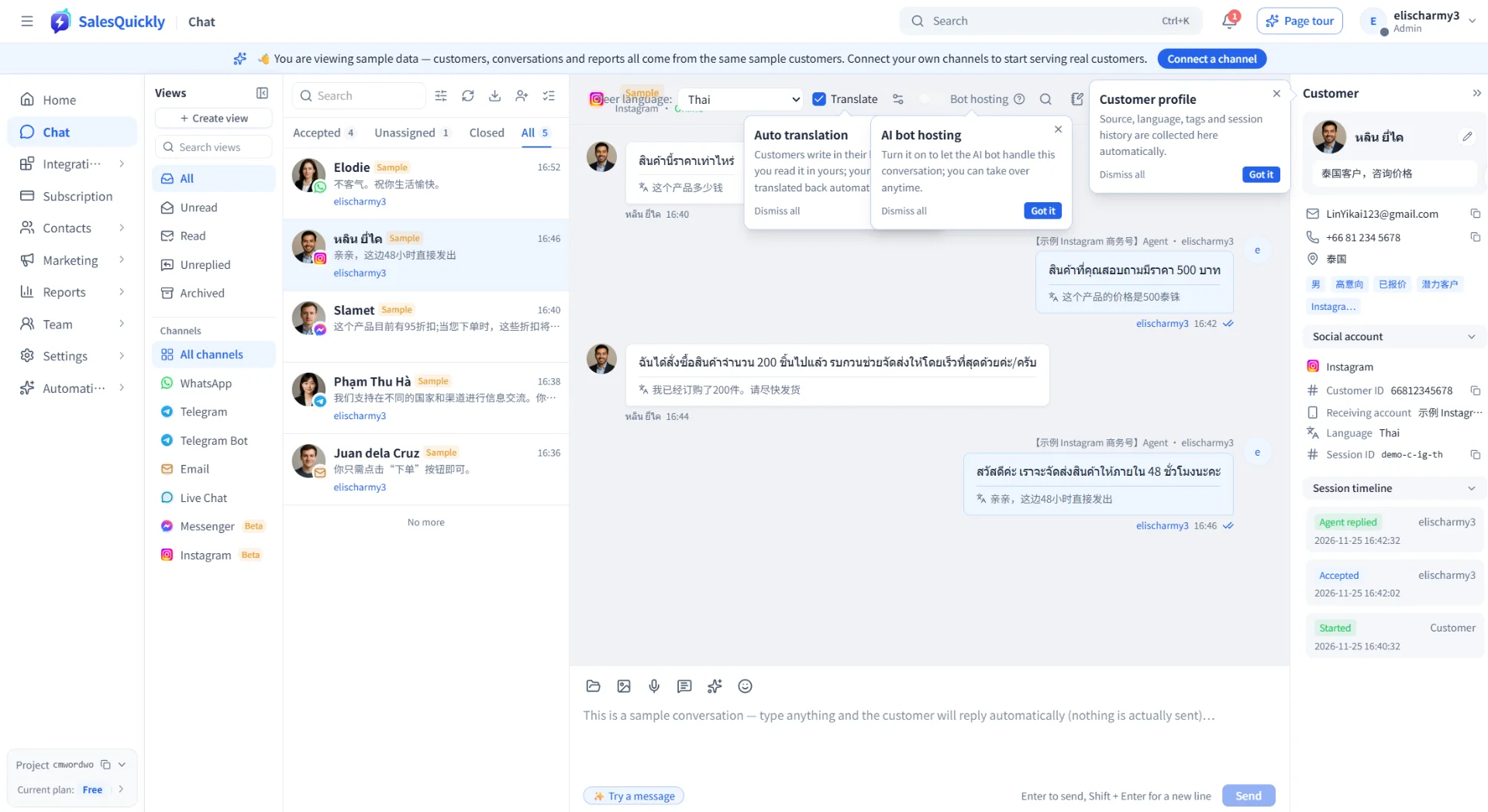
Once messages from different channels arrive in a shared inbox, the next challenge is deciding which conversations need attention first.
An omnichannel customer communication message list typically allows agents to filter conversations by channel, unread status, or pending replies. This makes it easier to prioritize unanswered inquiries or focus on messages from a particular channel.
For teams handling a high volume of daily inquiries, this approach makes it easier to track response progress and reduces the risk of overlooking customer messages.
Connected Customer Profiles: Understand Customer Needs
Before responding, agents often need to know what a customer has previously asked about, where they are in the sales process, and whether any issues remain unresolved.
An inbox with customer management capabilities can link conversations to customer profiles. Conversation history, tags, and notes provide the context agents need to respond effectively.
For example, international sales teams can record a customer's purchasing requirements, target markets, and previous quotations. When the customer gets in touch again, the sales representative can continue the conversation without asking for the same information.
Conversation Assignment: Establish Clear Ownership
When multiple support agents or sales representatives share an inbox, centralizing messages alone is not enough. Each conversation needs a clear owner.
Conversation assignment allows teams to route inquiries to the appropriate team member, either manually or according to predefined rules. For example, product inquiries can be assigned to sales representatives, while order issues can be directed to the after-sales support team.
Clear ownership makes it easier to track progress and reduces the likelihood of duplicate replies or unattended conversations.
Team Collaboration: Simplify Handovers and Follow-Ups
Some customer inquiries require input from more than one team member. A sales representative, for example, may need to hand a customer over to a colleague responsible for quotations or after-sales support.
An omnichannel customer service platform that supports conversation transfers and shared customer profiles allows the next agent to review previous messages, relevant notes, and the current status of the inquiry.
With this context available, team members can continue helping customers without making them repeat their questions.
Who Can Benefit from an Omnichannel Inbox?
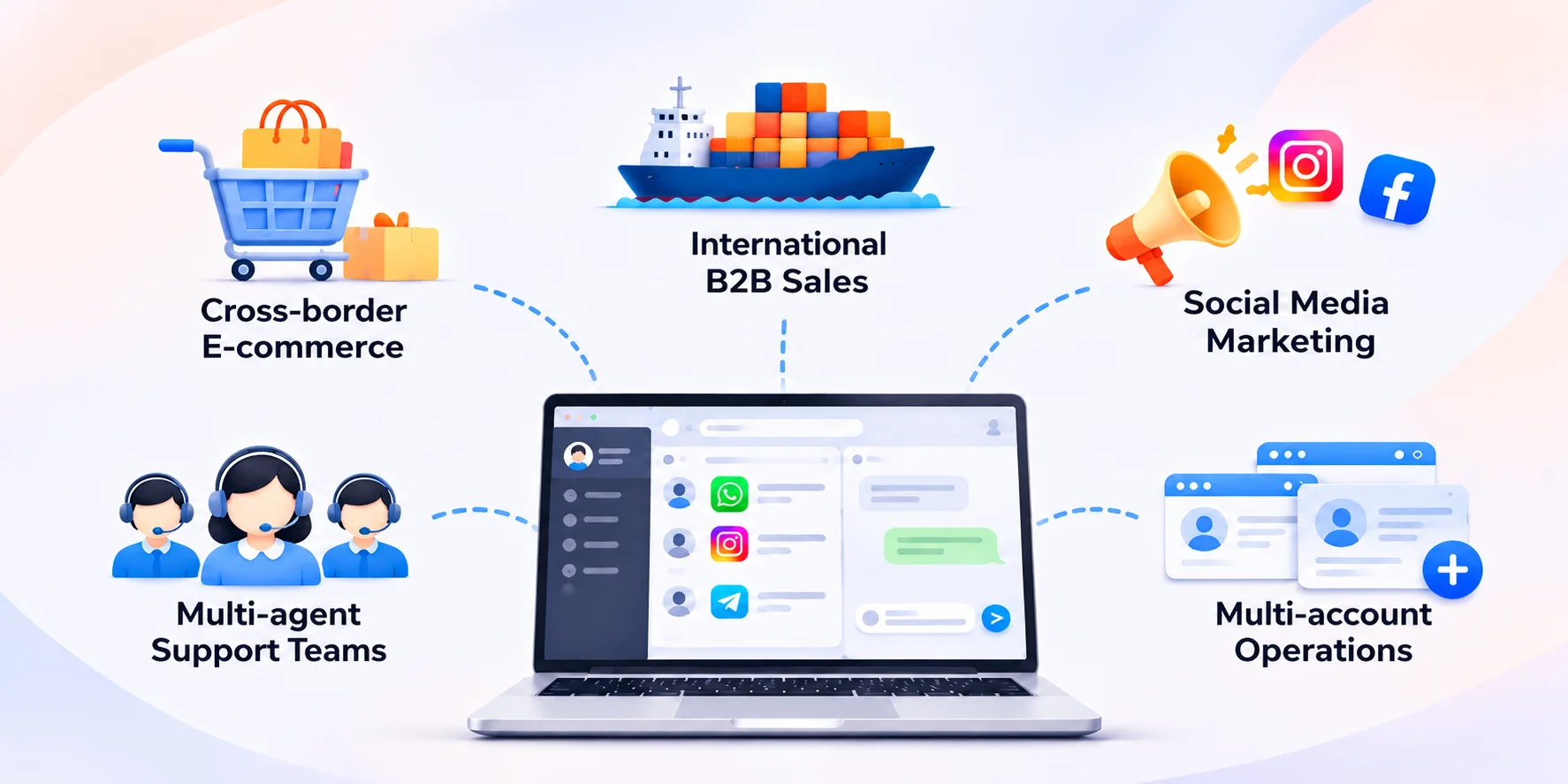
Not every team needs advanced customer management or collaboration features. If you receive relatively few inquiries and most customers contact you through a single channel, the platform's built-in messaging tools may be sufficient.
However, as your business expands across more channels, sales cycles become longer, or more agents get involved, centralized message management becomes increasingly valuable.
Business Scenario | Common Challenges | How a Unified Inbox Helps |
Cross-border e-commerce | Scattered pre-sales, order, and after-sales inquiries | Manage different types of customer inquiries in one place |
International B2B sales | Long sales cycles and fragmented conversation history | Maintain customer profiles and follow-up records |
Social media marketing | Leads generated across multiple marketing channels | Centralize incoming marketing inquiries |
Multi-agent support teams | Duplicate replies and unclear conversation ownership | Streamline conversation assignment and collaboration |
Multi-account operations | Frequent switching between platforms and accounts | Reduce repeated logins and account switching |
If your team regularly encounters these challenges, a unified inbox may be a practical way to improve your existing customer communication workflow.
How to Choose the Right Omnichannel Inbox
You do not need every available feature from day one. The right solution depends on your team size, business model, and the communication challenges you need to address first.
Match Features to Your Team's Needs
Team Type | Main Challenge | Recommended Features |
Individuals or small teams | Frequent platform switching | Unified messaging, multi-account management, quick replies |
Cross-border e-commerce teams | High volumes of customer inquiries | Message filters, conversation assignment, automated replies |
International sales teams | Managing long-term customer follow-ups | Customer profiles, tags, notes, conversation history |
Marketing teams | Leads scattered across channels | Lead source tracking, lead assignment, analytics |
Medium and large support teams | Complex team coordination | Role-based permissions, conversation transfers, quality monitoring |
For small teams, ease of use and channel compatibility are often more important than advanced automation. Teams with established sales or customer service workflows should also consider customer data management, access permissions, and collaboration capabilities.
Test the Platform with a Real Customer Workflow
Once you have identified your priorities, connect two or three of your most frequently used communication channels and test a complete workflow, from receiving an inquiry and assigning a conversation to responding and following up.
During the trial, check whether the platform reduces repetitive tasks, makes customer information easy to access, and supports smooth handovers between team members. Consider the number of accounts, team size, and pricing structure when evaluating long-term costs.
If your team relies on social media for customer support, lead generation, and ongoing customer engagement, explore the SalesQuickly Omnichannel Inbox to see how it fits your daily operations.
Conclusion
Choosing the right omnichannel inbox is not about connecting as many platforms as possible. It is about finding a solution that addresses your team's customer communication and collaboration needs.
Start with your busiest messaging channels and establish an efficient workflow. As your business grows, introduce customer management, automation, and collaboration features where they add value without creating unnecessary complexity.
Frequently Asked Questions
What is the difference between an omnichannel inbox and unified messaging?
Unified messaging focuses on receiving and responding to messages from multiple platforms in one place. An omnichannel inbox extends this functionality by connecting customer information, conversation management, and team collaboration.
Which social media platforms can an omnichannel inbox support?
Common channels include WhatsApp, Telegram, Instagram, Messenger, and LINE. Some solutions also support email and website live chat. Channel availability depends on the provider.
Can an omnichannel inbox replace a CRM system?
It depends on your business needs. An inbox with customer management features may be sufficient for everyday communication, contact management, and follow-ups. However, businesses that require advanced sales pipeline management, contract management, or sales forecasting may still need a dedicated CRM system.
Can an omnichannel inbox automatically identify the same customer across different platforms?
Not always. Social media platforms use different account identifiers, so matching customer identities may require phone numbers, email addresses, or manual linking. When evaluating a solution, check how it handles cross-channel customer identification.
Originally published by SalesQuickly. Please credit the source when reposting.