How Much Does WhatsApp Business API Cost? Pricing Breakdown & Buyer Tips 2026
A complete guide to WhatsApp Business API pricing: how Meta's per-message fees work, the new 1,000 free service messages rule, BSP markups, and what to check before choosing a WhatsApp customer service platform.
For cross-border e-commerce sellers, foreign trade companies, and brands expanding into overseas markets, WhatsApp has become the core channel for reaching global buyers. As business scales up, many teams consider upgrading from the consumer app or the standard WhatsApp Business app to the WhatsApp Business API, which enables multi-account collaboration, bulk messaging, and systematic management.
Before committing, however, decision-makers usually have one pressing question: how exactly is WhatsApp Business API pricing calculated, and why do quotes from different providers vary so widely? This article breaks down its real cost structure, the latest 2026 billing rules, and the key things to watch for when choosing a solution—so you can avoid hidden costs and spend every dollar where it counts.
1. What Makes Up the Cost of WhatsApp Business API?
Unlike the free WhatsApp apps, the WhatsApp Business API is an official communication interface that Meta opens to businesses. It has no standalone user interface of its own and must be connected to a third-party platform or your own system. As a result, the total cost typically consists of two parts:
1. Meta's official messaging fees (pay-per-message)
This is the base communication fee paid to Meta, WhatsApp's parent company. No matter which provider you connect through, sending business messages to overseas customers requires payment according to Meta's global rate card. This portion is fully transparent and depends mainly on the message type and the recipient's country code.
2. Third-party platform fees (BSP / SaaS subscription)
The official API only provides the underlying messaging pipe. The interfaces and features businesses rely on daily—a shared team inbox, customer profile management, real-time translation, and automation workflows—are delivered by third-party software platforms. Pricing models vary by vendor, but the most common ones are:
Software subscription fees (monthly/annual SaaS plans): charged by feature tier, number of connected accounts, or number of agent seats;
Markup on official rates: some Business Solution Providers (BSPs) add a percentage-based messaging surcharge on top of Meta's official per-message rates.
2. Meta's Official Billing Rules, Explained (2025–2026 Edition)
To prevent spam, Meta applies granular per-category billing to business-initiated messages. On July 1, 2025, the billing unit officially switched from "conversations" to per-message pricing; on October 1, 2026, the free rules for service messages were tightened further. Business messages now fall into five categories:
Message type | Typical use case | How it's billed | Free allowance |
|---|
Marketing templates | Promotions, new product announcements, win-back campaigns | Per delivered message; rates vary significantly by country | None |
Utility templates | Order confirmations, shipping updates, appointment reminders | Per delivered message; volume-based tiered discounts apply | Previously free inside the 24-hour window; removed in October 2026 |
Authentication templates | Login codes, transaction verification | Per delivered message; usually the lowest rate | None |
Service messages | Free-form replies within the 24-hour customer service window | October 2026 rule: first 1,000 per business number per month are free; beyond that, billed per message at the local utility rate | 1,000 free messages per month |
Meta Business Agent | Meta's official AI agent replies on your behalf | Billed per token since August 1, 2026 (roughly $2 per million tokens, about $0.04–0.05 per message) | — |
Key cost-saving mechanisms (important updates):
1,000 free service messages per month: when a customer messages your business first, a 24-hour service window opens. Free-form replies within that window count as "service messages," and the first 1,000 per business number each month are free—this is the biggest free allowance for small teams, so design your funnel to have customers initiate conversations.
Volume-based tiered discounts: utility and authentication templates accumulate by "market + category"; once you hit a tier, the unit price drops automatically. The more you send, the lower the cost.
Free entry point window: conversations started via Click-to-WhatsApp ads or Facebook Page buttons open a free window of up to 7 days, during which template and service messages are both free.
Rate change schedule: Meta adjusts rates only on the first day of January, April, July, and October, with advance notice. Always confirm current prices against Meta's official rate card.
3. Four Things to Verify Before Choosing a WhatsApp API Solution
Once you understand the basics of WhatsApp Business API pricing, check these four details when comparing vendors—missing any of them can cause costs to spiral later:
1. Beware the "low subscription + high markup" trap
Some platforms advertise a very low base monthly fee but add a messaging surcharge on top of Meta's official rates. If your business involves frequent marketing blasts or shipping notifications, that rate difference will far exceed the subscription fee over time. Prioritize platforms with transparent official rates, zero markup, or direct billing through your own Meta account.
2. Understand seat-based pricing before your team grows
Many overseas WhatsApp customer service platforms charge per agent seat—every additional sales rep or support agent raises your monthly bill sharply. For small and mid-sized teams with high turnover or cross-department collaboration, pay close attention to the base member allowance included in each plan and the cost of adding more.
3. Assess your stage: does everyone really need the API?
Not every overseas communication scenario requires pay-per-message API templates. In the early stages, or for high-frequency one-on-one follow-ups, businesses often need the flexibility to combine "official API broadcasts" with "everyday natural conversations." Look for platforms that support both official API integration and WhatsApp App scan-to-connect hosting: run daily follow-ups through the app channel with no per-message fees, and layer in API templates only for marketing and system notifications. This lets you allocate budget by business stage instead of paying upfront for capacity you won't use yet.
4. Look for AI assistance and multilingual support to cut hidden labor costs
Software spend is only the visible cost. The real hidden cost is the time your support team burns on cross-language communication and repeatedly answering the same basic questions. A system with built-in real-time translation and an AI knowledge base can significantly raise the number of customers each agent can handle.
4. Managing Overseas WhatsApp Communication Efficiently at Lower Cost
By now you've probably noticed that your total WhatsApp cost isn't determined by any single unit price—it depends on how you allocate message types, how your team collaborates, and how much repetitive work you eliminate. For most cross-border e-commerce and foreign trade teams, the real goal of adopting a tool isn't to switch on an interface; it's to handle inquiries smoothly and convert customers within a controllable budget.
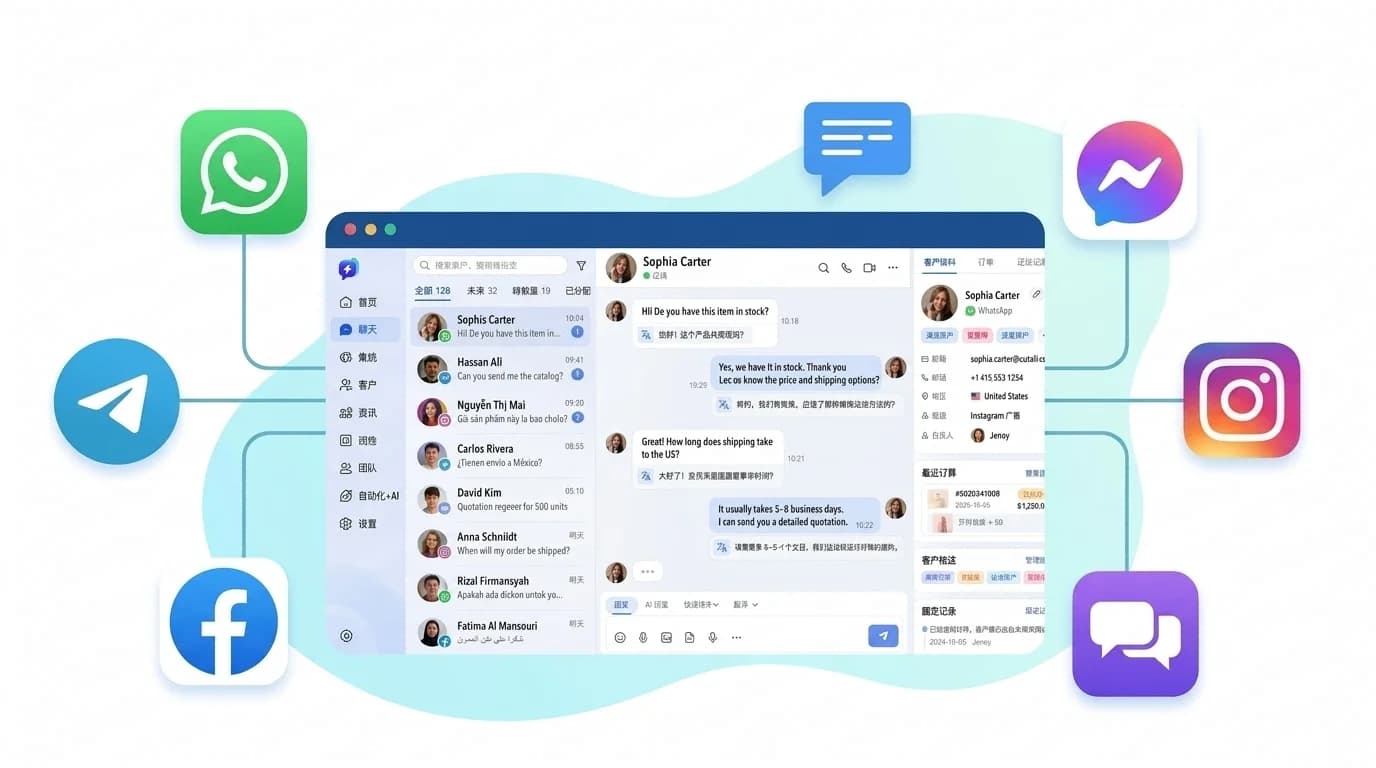
This is also the advice we give most often when working with overseas teams: instead of juggling multiple free tools, connect WhatsApp together with Telegram, Instagram, Messenger, and Email in a single workspace. Take SalesQuickly as an example: it supports both official WhatsApp API integration and WhatsApp App scan-to-connect hosting. In the early stages, you can run your workflow through hosted accounts at almost no per-message cost; add API template messaging later when you need marketing reach. With two-way real-time translation in 70+ languages plus AI-assisted reply polishing, even a small multilingual team can handle customers efficiently. The company knowledge base works with bot hosting to answer common questions around the clock, handing off to human agents only when the AI can't respond—reserving your monthly quota of 1,000 free service messages for the conversations that truly matter.
If you're evaluating WhatsApp solutions, start with SalesQuickly's free plan and validate whether the workflow fits your team at minimal cost before committing to anything heavier.
5. Frequently Asked Questions (FAQ)
Q1: What's the difference in cost between WhatsApp Business App and WhatsApp Business API?
The WhatsApp Business App (the mobile business app) is completely free and suits individual merchants or small teams working from a single device, but it limits multi-device logins and lacks team collaboration and data management. The WhatsApp Business API is designed for mid-to-large teams, supports high-volume messaging and system integration, but requires paying Meta's per-message fees plus the third-party platform's subscription.
Q2: If a customer messages me first, do I still pay to reply?
When a customer initiates a conversation, a 24-hour service window opens. Free-form replies within that window are "service messages": under the October 2026 rules, the first 1,000 service messages per business number per month are free; beyond that, each message is billed at the local utility rate. As long as small teams encourage customers to start conversations and keep monthly reply volume in check, this cost should be negligible.
Q3: How is the 1,000 free service message allowance calculated?
It's calculated independently per business phone number, resets on the first of each month, and doesn't roll over. Only free-form messages sent within the 24-hour service window count; template messages sent outside the window neither count toward nor consume this allowance.
Q4: Why do WhatsApp message prices differ several-fold between countries?
Meta prices by the recipient's country or region. Marketing messages to developed markets like the US or UK typically cost several times more than those to emerging markets. Higher-volume markets also qualify for tiered discounts. If your customers are spread across many countries, ask your provider for a per-country rate breakdown instead of looking at an average price.
Q5: We're a small foreign trade team just starting to follow up with overseas customers. What should we choose?
If your team mainly does one-on-one follow-ups and daily Q&A, and isn't doing large-scale template broadcasts yet, start with a lightweight omnichannel workspace that supports WhatsApp account hosting (like SalesQuickly). Solve multi-account management, real-time translation, and customer profile management first; add official API capabilities later as your volume grows and you need automated outreach.
Originally published by SalesQuickly. Please credit the source when reposting.