Not Receiving a Telegram Verification Code? Latest Troubleshooting and Solutions for 2026
Telegram troubleshooting for missing codes includes verifying phone numbers, checking spam folders and other devices, using stable networks, and noting
For cross-border enterprises, foreign trade teams, and those managing overseas communities, Telegram serves as a vital platform for market expansion and buyer engagement. However, whether you are registering a new account or logging in from a different device, the most common obstacle is "failing to receive the verification code"—the interface keeps loading, but the SMS never arrives. In such cases, repeatedly clicking "Resend" is often counterproductive; frequent requests can trigger the platform’s risk-control mechanisms, only making the situation worse. This guide outlines a systematic, official troubleshooting process—ordered from simplest to most complex—to help you quickly identify the root cause and regain access to your account.
I. Verify Your Phone Number and Country Code
Before investigating network or server issues, start by checking the most fundamental information. Many instances of missing verification codes are simply due to errors in these details:
1. Is the country/region code correct?
Ensure that the country code displayed to the left of the input field matches the origin of your SIM card (e.g., +86 for mainland China, +852 for Hong Kong, +1 for the United States). Telegram typically auto-selects the country code based on your SIM card; however, if you have manually changed it or are using a device with multiple SIM cards, discrepancies can easily occur. Please double-check this.
2. Is the phone number formatted correctly?
Verify that the number has the correct number of digits and contains no extra spaces or unnecessary leading zeros. For +86 (mainland China) numbers, simply enter the full 11-digit phone number.
3. Is your SIM card active and in good standing?
Confirm that your phone number is active and that the account is not suspended due to unpaid charges. While major domestic carriers generally support receiving international SMS, certain types of SIM cards—such as those for IoT devices, secondary/supplementary SIMs, or those from niche virtual network operators—may have restrictions on receiving such messages. Try testing with a SIM card from a major, mainstream carrier.
II. Troubleshooting SMS Delivery and Network Environment
If your phone number is correct but you still aren't receiving the SMS, focus on checking your communication channels and network environment:
1. Check your phone’s blocking and filtering settings.
Some mobile operating systems or third-party security apps may automatically categorize SMS messages from international short codes as "spam." Please check the "Blocked/Spam" folder in your SMS app, and ensure that you have not enabled any carrier-level services that block international text messages.
2. Check other logged-in devices first
If you have previously logged into this account on another phone, tablet, or computer, Telegram—for reasons of security and cost—often will not send an SMS. Instead, it will push the login verification code to the "Telegram Services" chat thread on your already logged-in device(s). Be sure to check all devices where you have previously logged in; this is the most common, yet frequently overlooked, reason for a "missing" verification code.
3. Switch to a stable, "clean" network connection
Telegram assesses the risk level of the IP address from which a verification request originates. Using high-density shared network nodes, or frequently switching nodes during the request process, can easily cause your request to be flagged as high-risk, leading to the silent blocking of the SMS. It is recommended to switch to a stable network environment, completely close and restart the app, and then attempt the verification again.
4. Be aware of official "SMS Fee" prompts
Starting in the second half of 2025, for certain high-risk regions (including those with the +86 country code), Telegram may display an "SMS fee" prompt during registration or login. The system may require the purchase of a one-week Telegram Premium subscription to cover the costs associated with sending the SMS. Please note two things:
The SMS delivery channel will only be enabled after you complete the payment as instructed on the page.
Payment does not guarantee the delivery of the verification code; if the message is blocked by your carrier or remains flagged by risk-control systems, you may still not receive it. Payment is a prerequisite, not a guarantee of delivery.
III. Troubleshooting Devices and Client Versions
1. Update to the latest official version
Older versions of the client may have compatibility issues with newer verification interfaces. Please download the latest, authentic version of the app from the App Store, Google Play, or the official Telegram website; do not use third-party modified versions.
2. Test across different platforms
If you are unable to receive an SMS on your mobile device, try installing the official Telegram Desktop app on your computer, or access the web version via a browser to initiate the login process; this may trigger an alternative verification channel. 3. Preserve Your Last Active Login Session
If a particular device is the only one where you remain logged in, do not uninstall the app, clear its data, or manually log out until the issue is resolved. Doing so would eliminate your final remaining gateway for receiving in-app verification codes.
IV. Limits on Frequent Attempts and "Cool-Down" Periods
Repeatedly tapping "Resend" every few seconds when a verification code is delayed is the most common trigger for security restrictions:
Trigger Logic: Rapid, successive requests for SMS or voice-based verification codes are flagged by the system as potential automated script activity. Consequently, the server automatically suspends the ability for that phone number to receive further verification codes.
Correct Procedure: If you encounter a "Too many attempts, please try again later" prompt, cease all further attempts immediately. Wait for a full "cool-down" period of 24–48 hours—during which you should avoid reinstalling the app or switching devices—and try again only after the security-risk counter has been reset.
V. Official Recovery and Appeal Channels
If you are still unable to receive verification codes after completing the troubleshooting steps above and waiting through the required cool-down period, you may seek assistance through official channels:
Explore Alternative Verification Methods: In some cases, once the initial SMS countdown expires, an option to "receive the code via a phone call" (or "Call me") may appear. Depending on your account, email-based verification might also become available; utilize these options as needed.
Submit an Official Support Request: Visit the official Telegram support page and provide a brief description of the issue in English. Include your full phone number (with international country code), device model, app version, and a detailed account of the error you are experiencing. Provide a frequently used email address so that the support team can contact you regarding their review. VI. Common Pitfalls to Avoid
When attempting to recover an account, be wary of the following high-risk actions:
1. Third-party "SMS verification services" (disposable number platforms): Using public, temporary phone numbers to register or link a business account makes it extremely easy for others to maliciously reclaim the account. This can lead to the leakage of customer chat history and significantly increases the risk of the account being flagged and banned by the platform.
2. "Cracked" or "bypassed-verification" client versions: These modified versions often contain trojans or malware, posing a severe risk to your data privacy.
3. Frequent switching of login devices: Repeatedly logging in and out of the same business account across different locations or devices is the primary trigger for security/risk-control mechanisms—this is particularly relevant for teams that share a single account.
VII. Account Recovery Is Just the First Step: Eliminating Verification Code Hassles
Once you’ve successfully logged back in, you may find that the same issues—such as needing to repeatedly request and enter verification codes while multiple team members take turns accessing the account—continue to occur. The solution is not to click "Resend" faster, but to eliminate the need for team members to constantly log in and out of the official client.
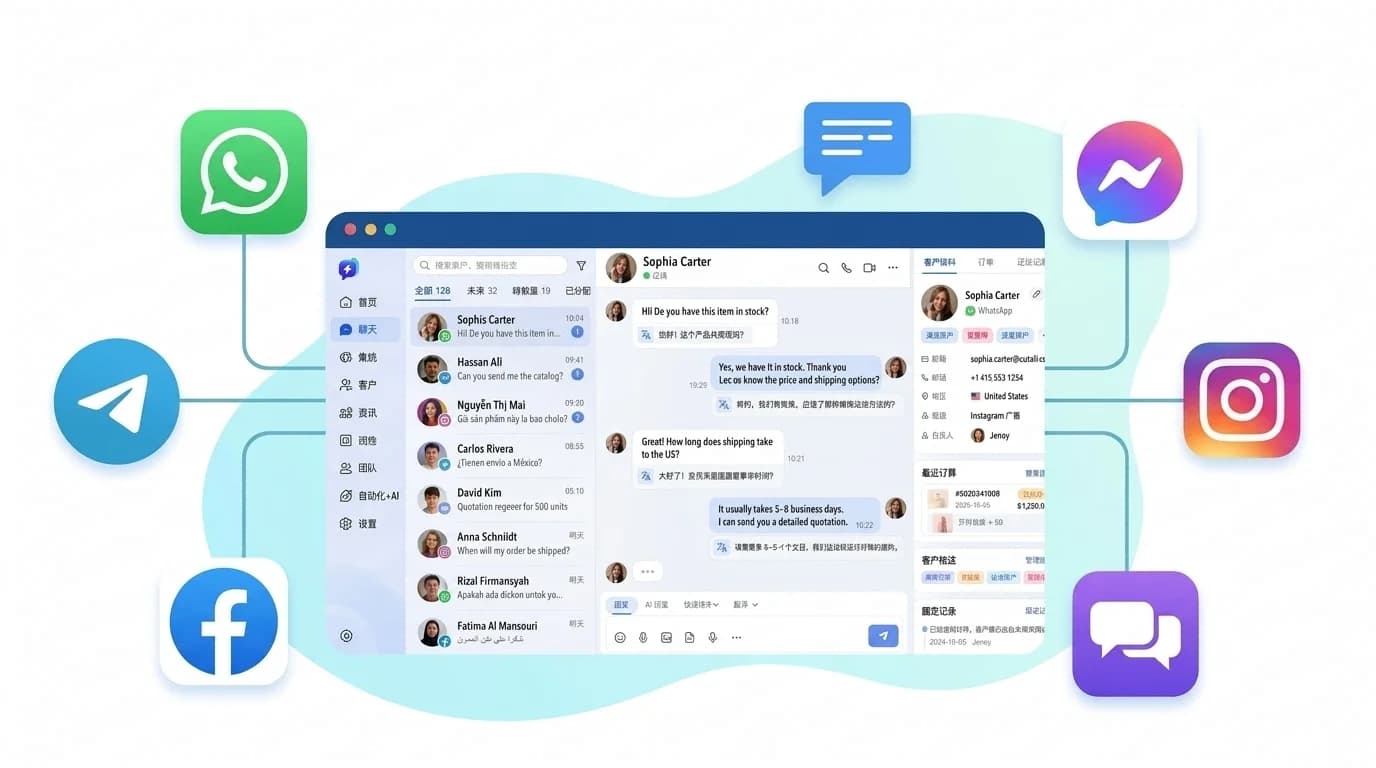
For foreign trade and cross-border e-commerce teams that need to collaborate on managing overseas clients, the professional approach is to integrate platforms like Telegram, WhatsApp, Instagram, and Messenger into a unified, multi-channel customer service workspace. This allows team members to handle messages from a single collaborative dashboard, while also enabling features like customer data management, role-based access control, and real-time translation—ensuring that your communication history with overseas clients is preserved and built upon over time.
SalesQuickly is a solution designed specifically for this purpose. It supports centralized management of Telegram customer messages and collaborative team support, effectively eliminating the security risks associated with multiple users sharing one account and the constant need for verification codes. If you want your team to stop struggling with verification codes, you can sign up for SalesQuickly for free and get your first account connected in just a few minutes.
Frequently Asked Questions (FAQ)
Q1: Why does Telegram send the verification code to an old device instead of via SMS?
By default, Telegram prioritizes sending login verification codes to devices where you are already logged in (via an in-app service notification) to enhance security and reduce SMS costs. The SMS channel is only used when there are no other active sessions. Please check all devices that have previously been used to log in to the account.
Q2: Telegram is asking for an "SMS Fee"—do I have to pay to receive a verification code?
For certain high-risk phone number ranges, the system may require the purchase of approximately one week of Telegram Premium to cover the cost of the SMS. This is an official mechanism, not a scam; however, payment is merely a prerequisite to clear the hurdle. If your mobile carrier is still blocking the messages, you may still fail to receive the SMS.
Q3: How long should I wait before trying again after receiving a "Too many attempts" error?
It is recommended to wait at least 24–48 hours. Continuing to click "Resend" during this cooling-off period will reset the risk-control timer, so please stop doing so. Also, avoid reinstalling the app or switching devices during this time.
Q4: Will logging in from a different device trigger risk-control measures?
Logging in from a different device occasionally is normal. However, frequently logging in and out across different regions or devices within a short period is considered high-risk behavior. It is advisable to stick to a primary device and, if applicable, use team collaboration tools to minimize the need for direct logins via the official Telegram client.
Q5: Can I use an SMS-reception service (virtual number platform) to register for Telegram?
This is strongly discouraged. Numbers from such services are typically shared publicly; consequently, your account could be recovered or hijacked by someone else at any time. This poses a risk of exposing your chat history and assets, and such accounts are also highly susceptible to being banned by Telegram in bulk.
Originally published by SalesQuickly. Please credit the source when reposting.